Progress payments & retainage
Track each subcontractor’s contract, every pay application and the retainage withheld. Release retainage at closeout with one click — the part that always breaks in Excel.

Everything a general contractor or owner’s rep needs to run the job — without paying per seat.
Track each subcontractor’s contract, every pay application and the retainage withheld. Release retainage at closeout with one click — the part that always breaks in Excel.
Snap the receipt or invoice. TrackSite reads the vendor, date, total and CSI division, and files it for you.
Every Friday, a clean report for the owner and investors — progress photos, activities and coordination, written for you and ready to send.
Budget, spent and remaining for every division, with progress bars you can read at a glance. Change orders roll into the project value automatically.
Scan the receipts, get the reimbursement invoice. No more envelopes of paper at the end of the month.
Invite your team, subs, architects, owners and investors. Everyone sees the job; you never pay per person.
Real screens from TrackSite, with a sample project.
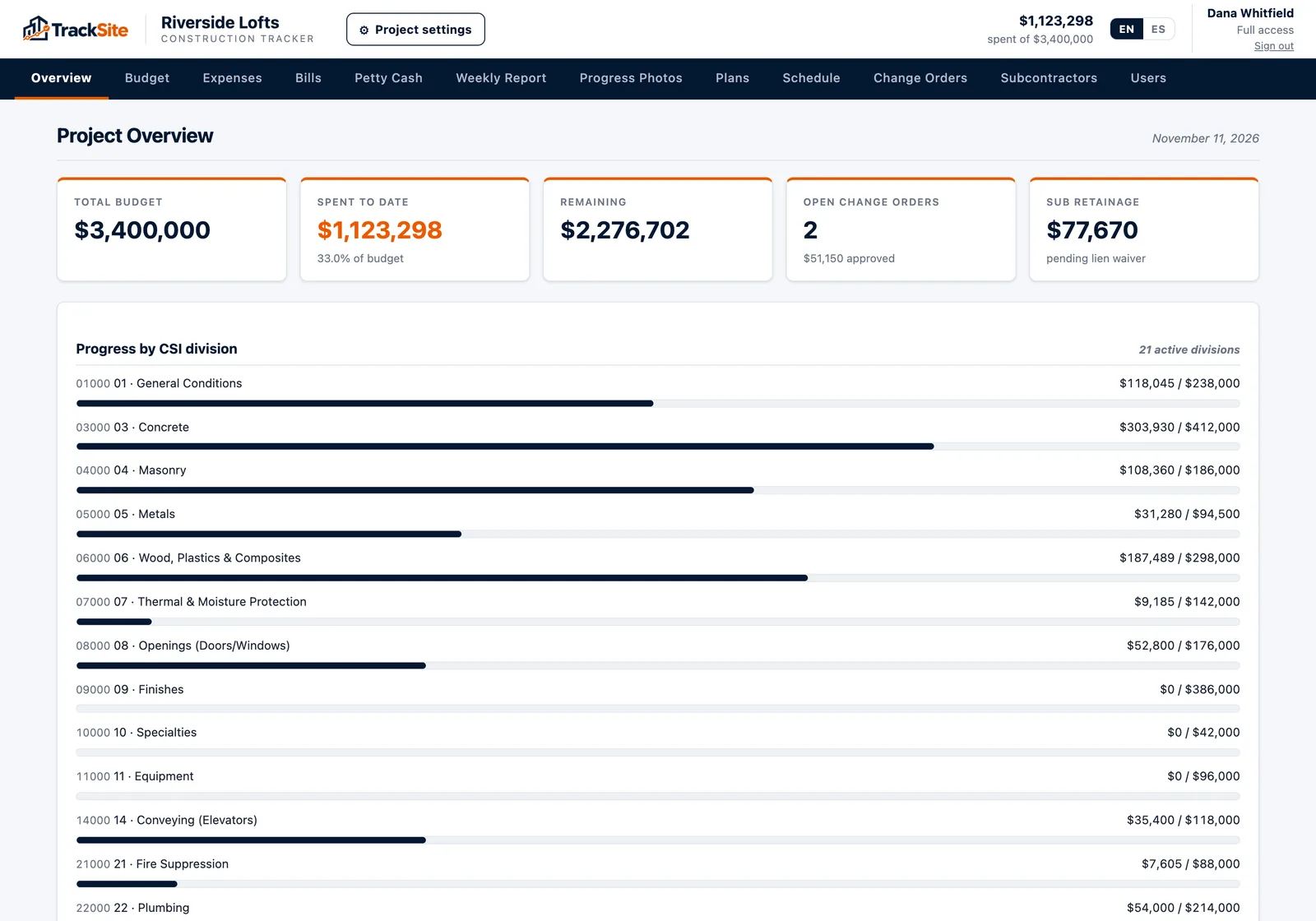
Budget, spent to date, what’s left, open change orders and retainage held, with progress for every CSI division.
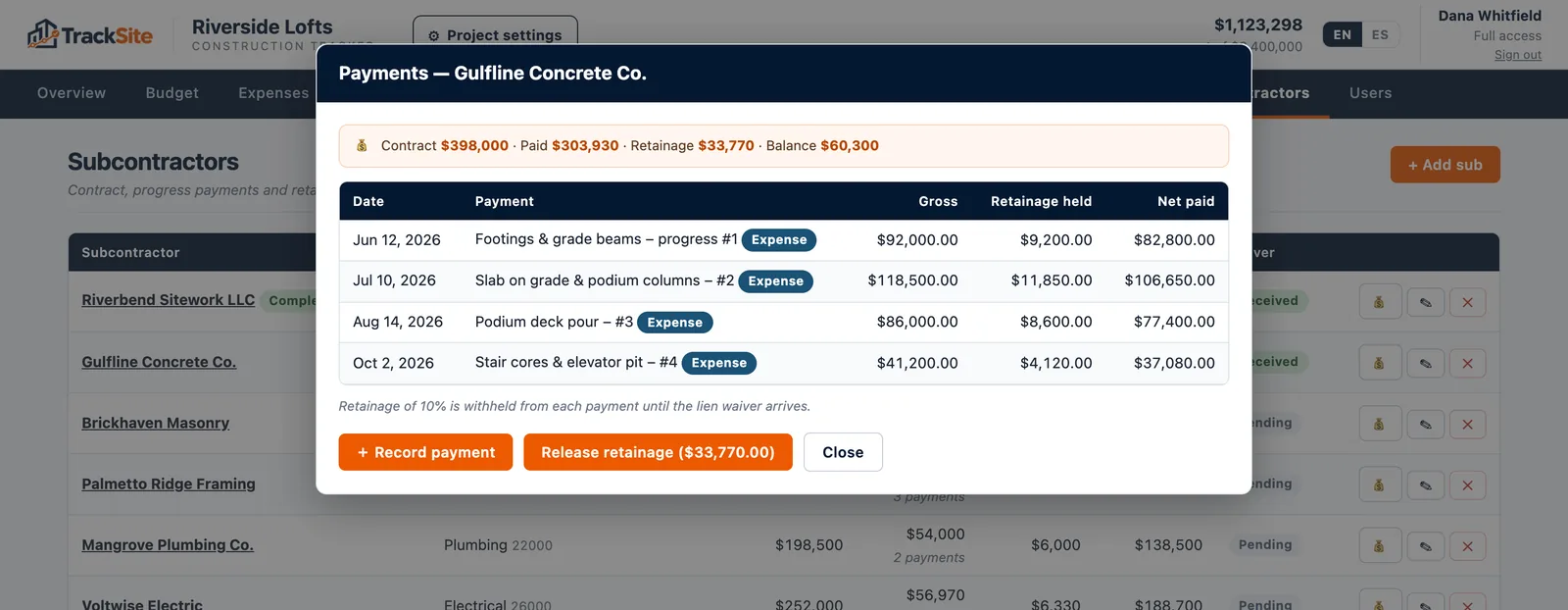
Open any subcontractor to see each progress payment, the retainage withheld and what’s left to bill. Release retainage with one click.
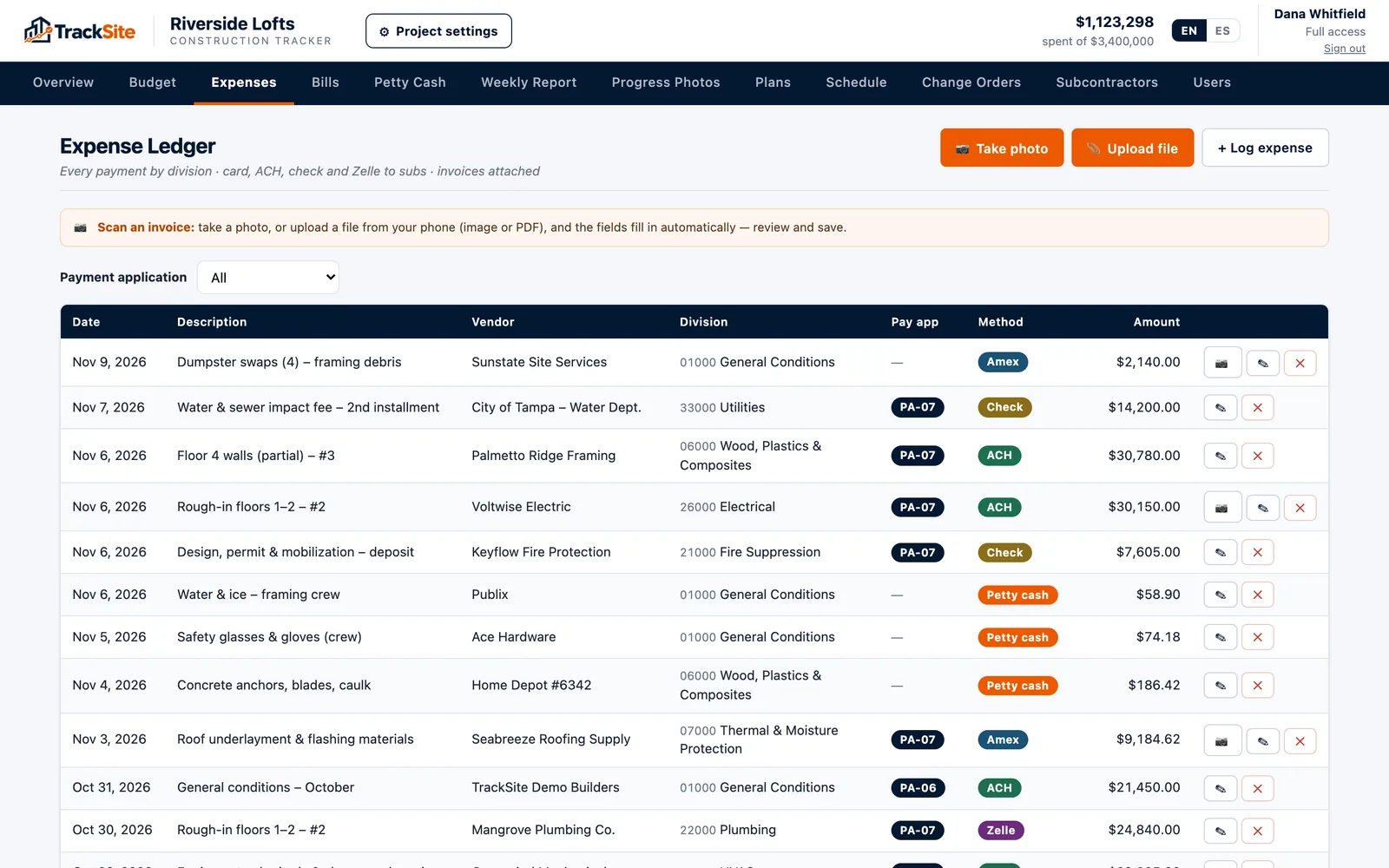
Snap the invoice and it lands in the ledger with vendor, division, pay application and payment method.
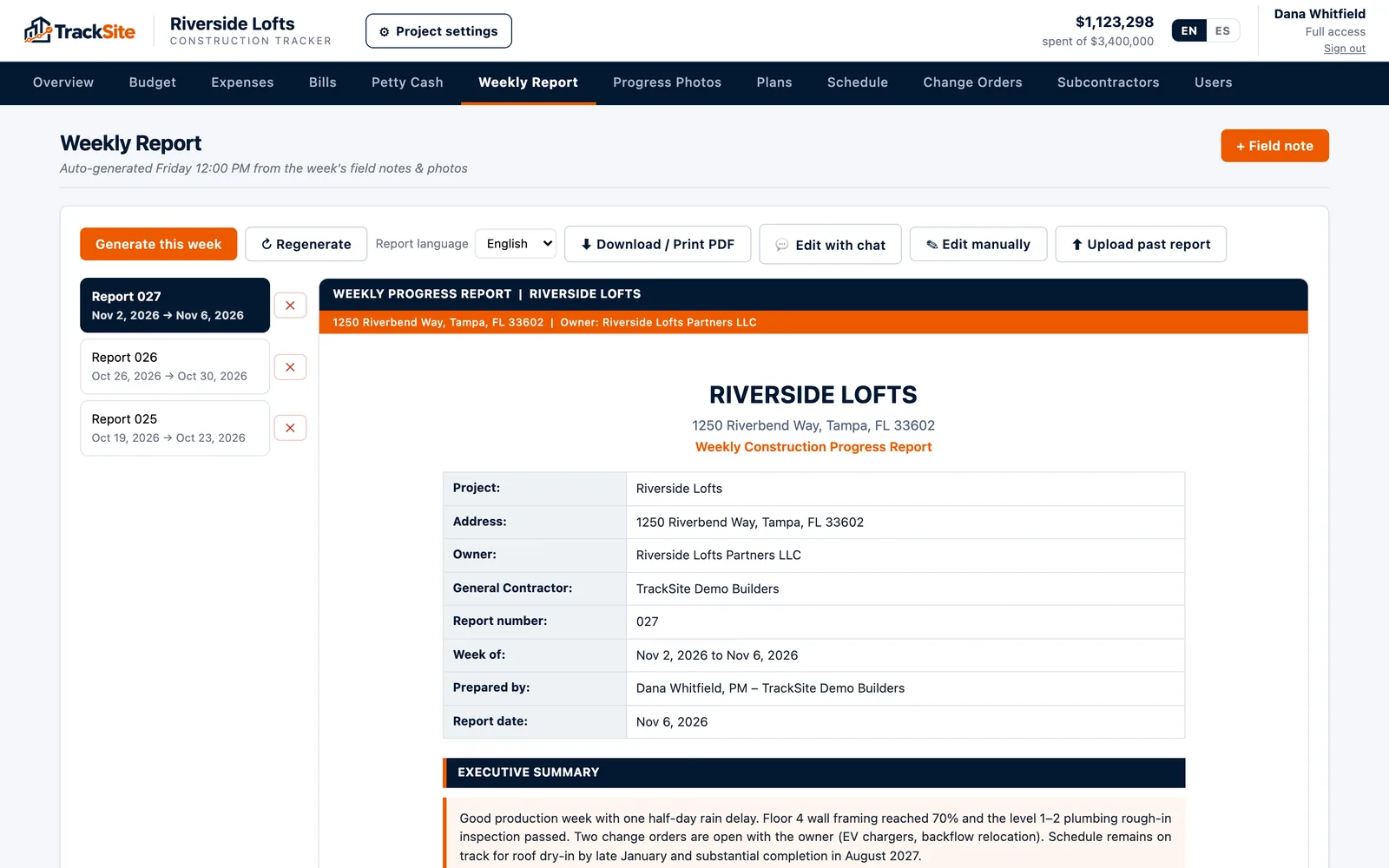
Summary, work done, coordination, schedule and weekly spend, ready to print or send to the owner.
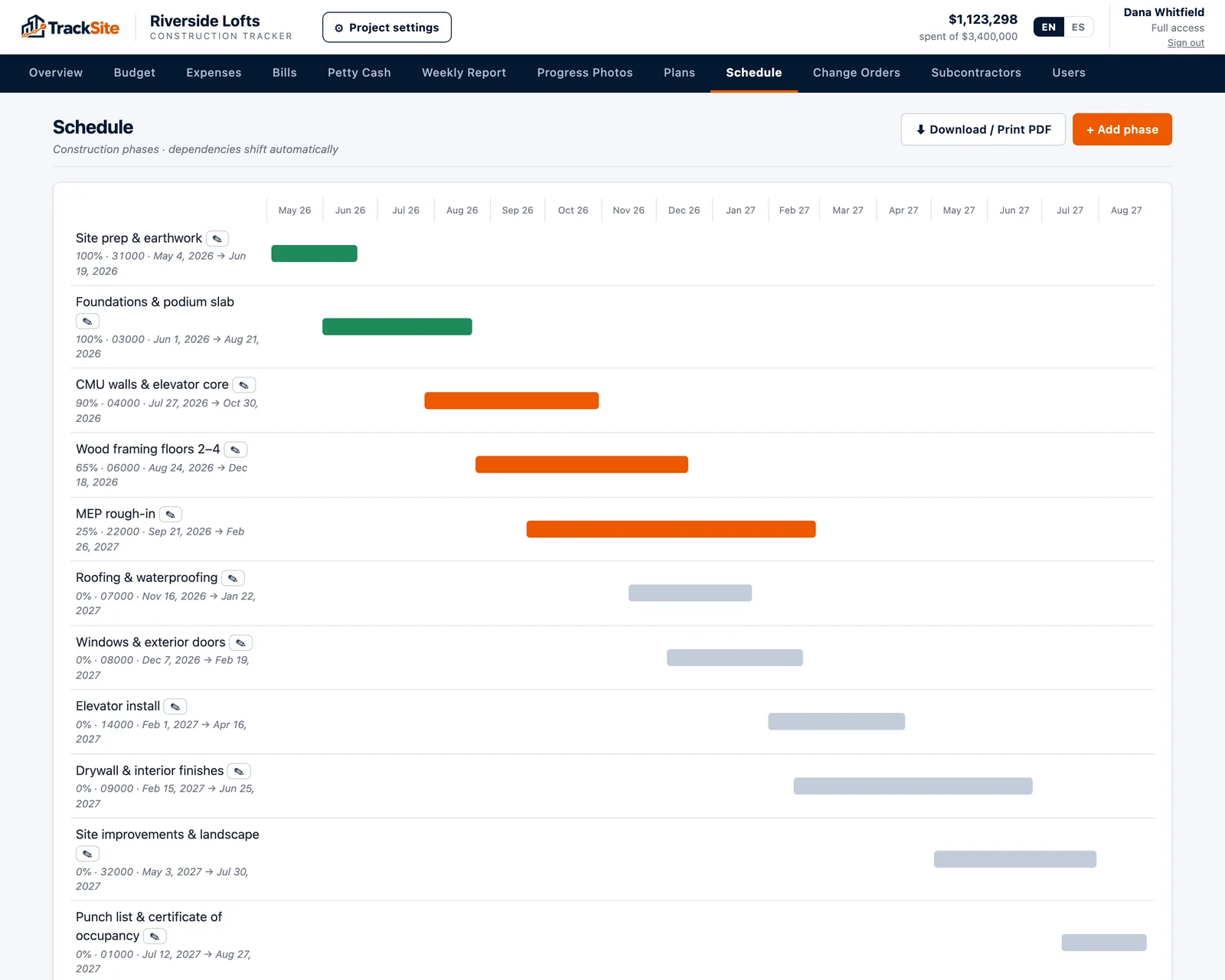
A simple Gantt of every phase, from site prep to certificate of occupancy.
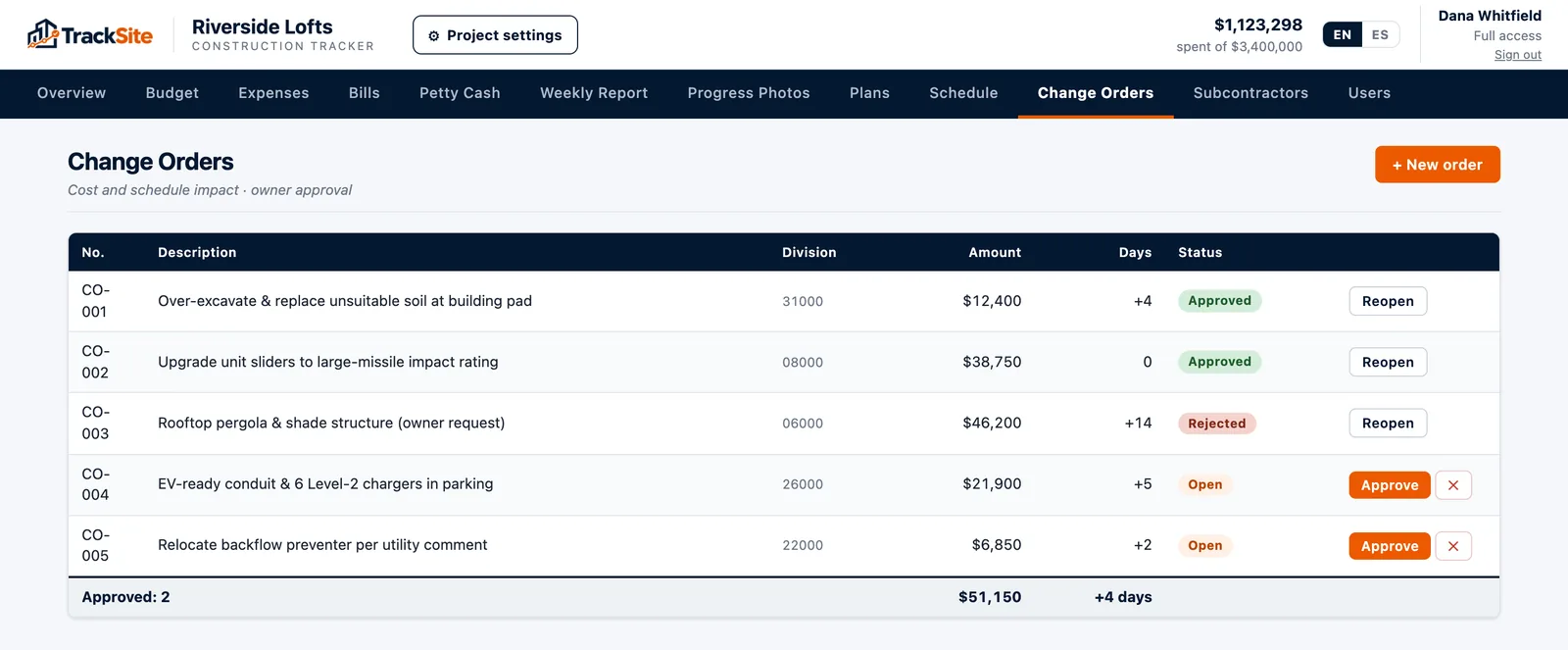
Amount, days added and status for every change order, rolled into the project value.
Start free for 14 days, or let us walk you through it.
Prefer to talk? Call us at (949) 6-TRACKS · (949) 687-2257