
Spreadsheets vs. Construction Tracking Software for Small Contractors: An Honest Comparison

Excel and Google Sheets run a huge share of the construction industry, and for good reason: they are cheap, flexible, and everyone already knows how to use them. If you are a small contractor deciding whether to move to construction software, the honest answer is: it depends on how many jobs, how many people, and how much money is moving through each one. Here is how to tell.
What spreadsheets do well
- They cost nothing extra. You probably already pay for them.
- Total flexibility. Any column, any formula, any layout you want.
- Everyone knows them. Your bookkeeper, your PM and your owner can all open the file.
- Fast to start. A budget template can be ready in an hour.
- Easy to send. Owners and lenders often ask for an Excel file anyway.
Those are real advantages. Do not let anyone tell you a spreadsheet is “unprofessional.”
When a spreadsheet is enough
A spreadsheet is usually fine when most of these are true:
- You run one or two jobs at a time.
- One person (often you) enters and checks all the numbers.
- You have few subcontractors, or you pay them per invoice without retainage.
- Change orders are rare and small.
- The owner is happy with a phone call and some photos by text.
If that is your business today, keep a clean template, back it up, and spend your money elsewhere. A good spreadsheet beats badly used software.
Where spreadsheets start to cost money
The problems come with growth, and they come gradually, so they are easy to miss:
- Several versions of the truth. “Budget_final_v3_REAL.xlsx” on the office computer and a different copy on the PM’s laptop.
- Broken formulas. One person inserts a row, a SUM stops including it, and the total is wrong for months without anyone noticing.
- Retainage and pay apps across many subs. Each sub needs its own running totals, retainage held, and release. This is the part that most often breaks.
- Change orders in another file. The budget does not know the contract went up, so a division looks over when it is not.
- Receipts in a shoebox. Expenses get entered weeks later, if at all, and coded to whatever division seemed right at the time.
- Photos and the daily log live somewhere else: in phones and WhatsApp groups, impossible to find when there is a dispute.
- Reports take hours. Every week someone copies numbers and photos into an email or a document by hand.
- Access control. You cannot easily give the owner a view of progress without also showing your costs, or give a sub access to their own numbers only.
None of these is a disaster by itself. Together, on three or four jobs at once, they mean decisions made with old numbers and hours lost every week.
A quick comparison
| Spreadsheet | Construction tracking software | |
|---|---|---|
| Cost | Usually already paid for | Monthly subscription |
| Setup | Fast, fully custom | Templates; less freedom, less to build |
| Single source of truth | Depends on discipline | Built in: one project, everyone sees the same data |
| Pay apps and retainage | Manual formulas per sub | Running totals and release handled for you |
| Change orders | Separate tab or file | Linked to contract value and budget |
| Receipts and invoices | Typed in by hand | Often captured from a photo |
| Photos, daily log, plans | Somewhere else | In the same project |
| Owner reporting | Built by hand each week | Generated from the data |
| Permissions | Share the whole file or nothing | Per role and per person |
| Mobile use in the field | Awkward | Designed for it |
What to look for if you switch
Many construction platforms are built for large general contractors and priced to match. For a small or mid-size contractor, look at:
- Price model. Per-user pricing gets expensive fast when you want to invite subs, owners and investors. Per-project or flat pricing is often easier to predict.
- Does it cover your money workflow? Budget by division, sub pay apps, retainage, change orders and expenses: if the money side is weak, you will end up back in Excel.
- Can the field use it? If the superintendent will not open it on a phone, photos and daily logs will not get in.
- Language. If your crews and subs speak Spanish, the software should work in Spanish for them.
- Import and export. You should be able to bring your Excel budget in and get everything out to Excel and PDF whenever you want. Your data should stay yours.
- A real trial. Run one live job in it for a few weeks. A demo with sample data tells you little.
- No long contract. Jobs do not last exactly a year; your software commitment should not have to either.
A sensible way to decide
- Write down the hours spent each week on job tracking and reports, and the last time a number was wrong.
- If you run more than two jobs, use retainage, or answer to owners or investors who want regular reports, try software on your next job, side by side with your spreadsheet.
- After a month, keep whichever one you trust more.
Where TrackSite fits
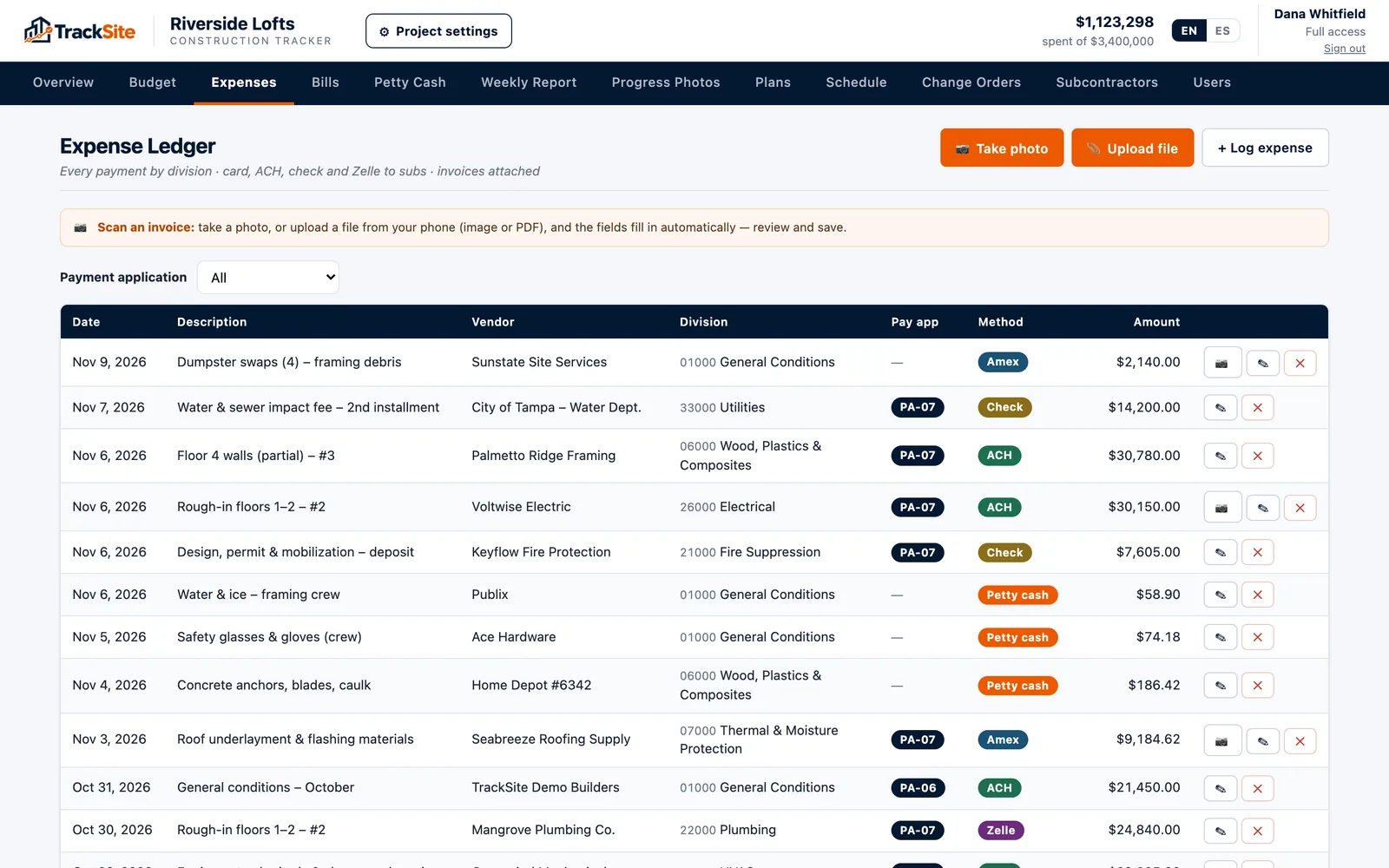
TrackSite is built for exactly the point where the spreadsheet starts to hurt: contractors running real jobs with subs, retainage and owners to report to. It covers the budget by CSI division, sub pay apps with retainage and one-click release, expenses read from a photo, change orders, schedule, daily log, photos and plans, and an automatic Friday report. It works in English and Spanish, you can export everything to Excel and PDF at any time, and pricing is per active project with unlimited users. You can try it free for 14 days on a real job, no card required.